


Live Weather Forecast
4.61.47K Reviews
App Specs
- Version
- 2.1.0.2
- Updated On
- License
- Free
- Downloads
- 10,000,000+
- Developer
- Ten Stars Lab
- Categories
- Weather
- Platform
- Android, iOS
Screenshots
 Analysis by AppCompare
I tend to check the weather at home before anyone heads out, especially when plans involve different schedules and the same front door. Live Weather Forecast can make that quick check easier: its main appeal is putting current conditions and forecasts in one place, rather than making me search through a general news or map app. I see it as a practical household reference, not a system for managing family members or coordinating their plans automatically.
A shared glance before everyone leaves
In a shared-use situation, the most useful routine is simple: one person checks the local forecast, then passes along the relevant detail—whether rain looks likely around the commute or whether a jacket makes sense later. The hourly view is better suited to that decision than a broad weekly outlook, because it helps answer a near-term question. For weekend plans, the longer outlook can help a household discuss options, while still leaving room to check again as the day approaches.
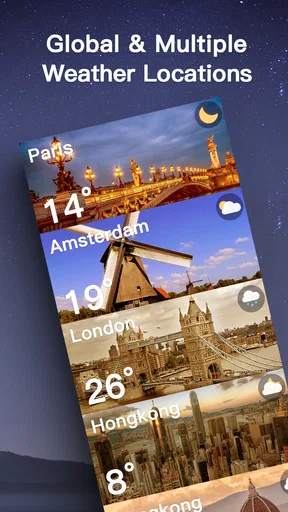
Multiple locations also have a practical role beyond travel. I could keep a place where relatives live alongside home, or track a destination before a shared outing. That saves repeated searches, but it is worth keeping the list intentional: a crowded set of saved cities can make a quick household check slower rather than clearer. I’d use a small set of places people actually ask about and remove destinations that are no longer relevant.
Keep setup personal and expectations clear
Weather apps are often opened on a phone that other people may also glance at, so I’d treat saved locations and any custom choices as personal conveniences rather than shared accounts. The app’s available features are useful for looking up places, choosing measurement units, and putting a widget on a home screen; they should not be mistaken for household profiles, synchronized family schedules, or a way to assign alerts to another person. Each user should check the app on their own device if they need their own setup.
Widgets can make a quick glance easier, but their usefulness depends on where they sit and how much detail is visible at a glance. I’d put one on the home screen used for routine planning, then open the app when the forecast needs closer attention. A widget is a shortcut, not a substitute for reviewing changing conditions, especially when the decision involves a long trip or an outdoor event.
Age, trust, and sensible alert habits
The app is rated for Everyone, which makes it broadly suitable for general weather checks. That age context does not mean every household should assume the same person will interpret every warning or make every safety decision. I’d explain to younger users that an alert is a prompt to check conditions and follow local guidance, not a reason to head outside to investigate. For serious weather, the app can be one source of awareness, while household members should rely on appropriate local instructions too.
Alerts are most helpful when they support a clear routine rather than create background noise. I’d keep notifications useful for the places and situations that matter, and avoid treating every notification as equally urgent. If several people share a device, it also helps to agree who is responsible for checking a warning instead of assuming that someone else saw it. That small habit is more dependable than simply installing an app on a shared phone.
Worth Reading Before You Choose

Baby Panda World Brings Quick Play to Modern Phones, but Its Game Library Feels Busy

ESPN’s Live Game View Makes Following Close Games Easier

QuizzLand Review: A Good Fit for Short Trivia Breaks, Not Every Player

Basketball Stars: Multiplayer Is Fast, but Can It Recover When Matches Go Wrong?

WEBTOON Turns Phone Updates Into a Better Reading Routine

Link to Windows Runs on Shared Habits, Not Social Feeds
Who will get the most from it?
I think it suits people who want a straightforward local forecast, like checking the next few hours, and appreciate having a couple of other locations close at hand. It may also suit a household that wants a common reference for everyday decisions without needing a dedicated planning platform. Someone who travels between cities, commutes on foot, or has outdoor errands can use the hourly view to decide when to leave or whether to pack a light layer.
I’d look elsewhere if you need detailed professional meteorology, a specialized outdoor navigation tool, or a shared calendar that coordinates everyone’s plans. A default weather app may be enough if all you want is a temperature on the lock screen. On the other hand, a map-focused weather service may be a better fit when you need to inspect radar movement closely. The right choice depends on whether your usual question is “What should I expect here?” or “Where is this storm heading?”
Small decisions that improve the experience
One useful approach is to check the forecast at two different levels: use the hourly view for a decision happening soon, then revisit the broader outlook when planning further ahead. A weekly forecast can help with rough planning, but I would not treat it as a promise about a particular hour several days away. For a picnic or a long drive, checking again nearer the time is a sensible habit, whatever weather app you use.
Another trade-off is convenience versus attention. A widget reduces the effort of opening the app, while the full screen gives more context when conditions are changing. I’d use the shortcut for routine checks and open the app before changing plans. Likewise, saved locations are handy for comparing home with a destination, but they do not remove the need to confirm which city is selected before relying on the forecast.
The app is free to download, with in-app purchases listed from $2.99 to $3.99 per item. I’d start with the free experience and decide whether any paid option is worthwhile only after using the features I actually need. Its current version is 2.1.0.2 and it requires Android 6.0 or later. It has an average rating of 4.6 from around 125,000 ratings, and more than 10 million installs. Those figures suggest broad use, but they do not guarantee that a forecast will match every neighborhood or personal expectation.
The First Impressions
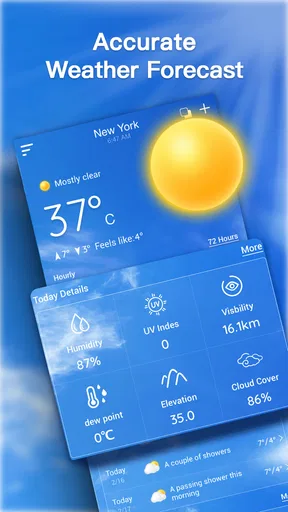
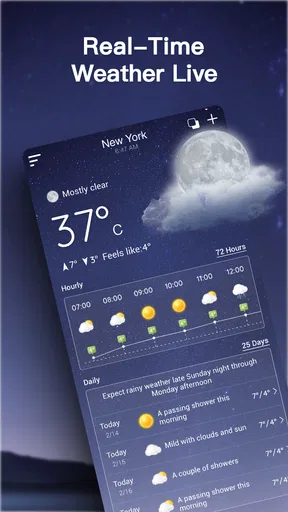
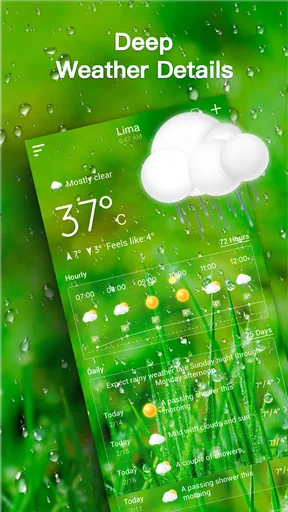
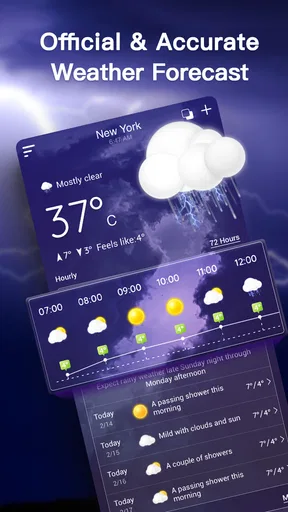
Upon launching Live Weather Forecast, I was immediately struck by its clean and intuitive design. It doesn’t overwhelm you with too much info at once. Instead, it gives you what you need right upfront. You’re greeted with a sleek interface that showcases the current temperature, weather conditions, and a delightful little animation that reflects those conditions. Raining outside? Expect to see a cute little animation of raindrops right on your screen.
Features That Stand Out
The app isn't just about showing you whether you need a raincoat or sunglasses. It has a bunch of features that are pretty nifty. Here’s a quick rundown:
- Hourly Forecasts: Want to know if you can squeeze in a quick walk before the skies open up? The hourly forecast has got you covered.
- Weekly Outlook: Planning a weekend getaway? Check out the app’s detailed weekly forecast to avoid any weather surprises.
- Weather Alerts: This is a game-changer. The app sends you alerts about severe weather conditions so you can stay safe and prepared.
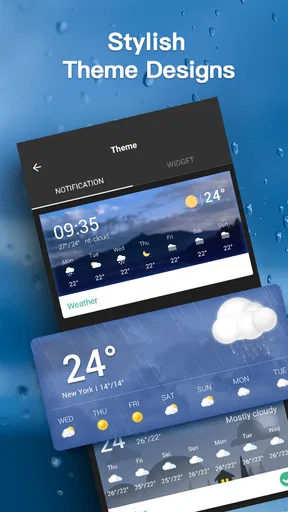
- Customizable Widgets: For those who love a bit of personalization, the widgets can be tailored to match your home screen’s vibe.
Usability and Experience
Using Live Weather Forecast is as smooth as a summer breeze. The app’s developers clearly put a lot of thought into making it user-friendly. You don’t need a degree in meteorology to navigate through the features. The settings are straightforward, and you can easily switch between different units of measurement, which is a nice touch.
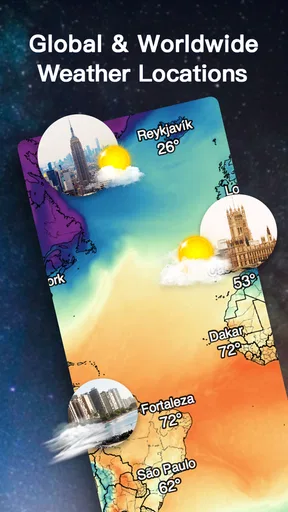
One feature I found particularly cool is the ability to add multiple locations. This way, you can keep an eye on the weather in different cities, which is super useful if you’re a frequent traveler or just curious about the weather elsewhere.
Performance and Reliability
I’ve been using the app for a few weeks now, and I have to say, it’s been pretty spot-on with its forecasts. The app updates in real-time, so you’re getting the most accurate information available. Battery drain? Hardly an issue, which is a relief because who needs another app sucking the life out of their phone, right?
One thing to note, though, is that the app does require a stable internet connection to fetch the latest data. So, if you’re out in the boonies with no signal, you might hit a snag. But hey, that’s more on the connectivity than the app itself.
Wrapping It Up
So, would I recommend Live Weather Forecast? Absolutely. It’s like having a personal weather assistant in your pocket. Whether you’re planning your outfit for the day or deciding if you need to bring an umbrella, this app has got your back. The blend of comprehensive features and user-friendly design makes it a must-have for anyone who doesn’t want to leave their day to chance.
Developed by Ten Stars Lab, this weather app was released on March 13, 2020, and is free to download. Its Everyone age rating fits a general-purpose forecast tool, and I’d describe its appeal as practical rather than specialized. A store average of 4.6 reflects strong user approval, although personal accuracy can still vary with location and conditions. I would judge it by whether its local view and alerts help with your own routine, not by its popularity alone.
If you’re ready to take control of your weather woes, give Live Weather Forecast a whirl. It’s available for download on both Android and iOS, and trust me, your future self will thank you for it.
Pros
- Accurate real-time updates.
- User-friendly interface design.
- Customizable notifications.
- Detailed hourly forecasts.
- Global location coverage.
Cons
- Frequent ads interrupt usage.
- Premium features are costly.
- Consumes high battery power.
- Occasional data lag in remote areas.
- Limited offline functionality.
FAQs for Live Weather Forecast
What features does the Live Weather Forecast app offer?
The Live Weather Forecast app provides real-time weather updates, including temperature, humidity, and wind speed. It also offers radar maps, severe weather alerts, and a 7-day forecast. Users can customize notifications and select from multiple location tracking options to stay informed about weather conditions wherever they are.
Is the Live Weather Forecast app free to use?
The app is free to download and offers a range of basic features at no cost. However, there are in-app purchases available for users who want to access premium features such as ad-free usage, advanced radar options, and detailed forecasts. Subscription details can be found within the app.
How accurate is the weather data provided by the app?
The Live Weather Forecast app sources its data from reputable meteorological services, ensuring high accuracy for current and predicted weather conditions. The app updates frequently to provide users with the most current information, but as with any weather prediction, occasional discrepancies may occur due to sudden atmospheric changes.
Can I use the app offline?
While the Live Weather Forecast app requires an internet connection to update weather data and maps, it does store the most recent updates locally. This allows you to view the last downloaded data even when offline, but you will need to reconnect to update and access the latest information.
Does the app support multiple languages?
Yes, the Live Weather Forecast app supports multiple languages, allowing users from different regions to access weather information in their preferred language. Language settings can be adjusted in the app preferences, ensuring a user-friendly experience for non-English speakers.


